

Integrate cookie banners in Gambio
Gambio allows you to insert scripts and individual code into the <head> area of your website. This also allows you to include the CCM19 code snippet to integrate a GDPR-compliant cookie banner.
You can create an account with CCM19 free of charge to generate the required code. Click here to go to the login area.
Does your website have a GDPR problem? Check now for free!
How high is the risk of fines for your website? Enter your website address now and find out which cookies and third-party services pose a risk
1. Login to the Gambio backend
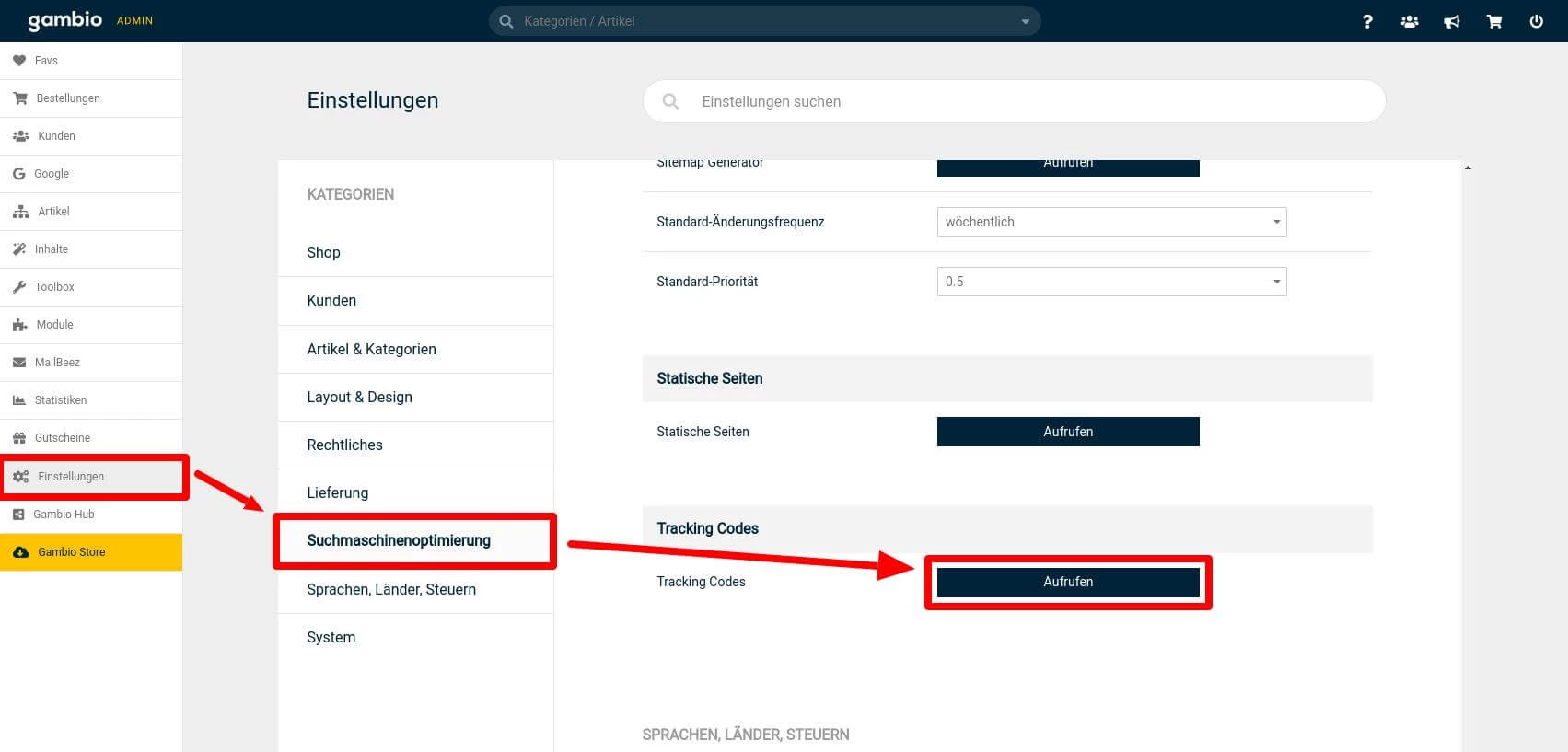
- Call up the backend of your Gambio installation and log in with your access data.
- Navigate to Settings in the main menu.
- Then select the sub-item Search engine optimization (SEO).
2. Integrate CCM19 code into Gambio
- You will find numerous customization options in the SEO settings.
- Scroll down until you reach the area for editing tracking codes.
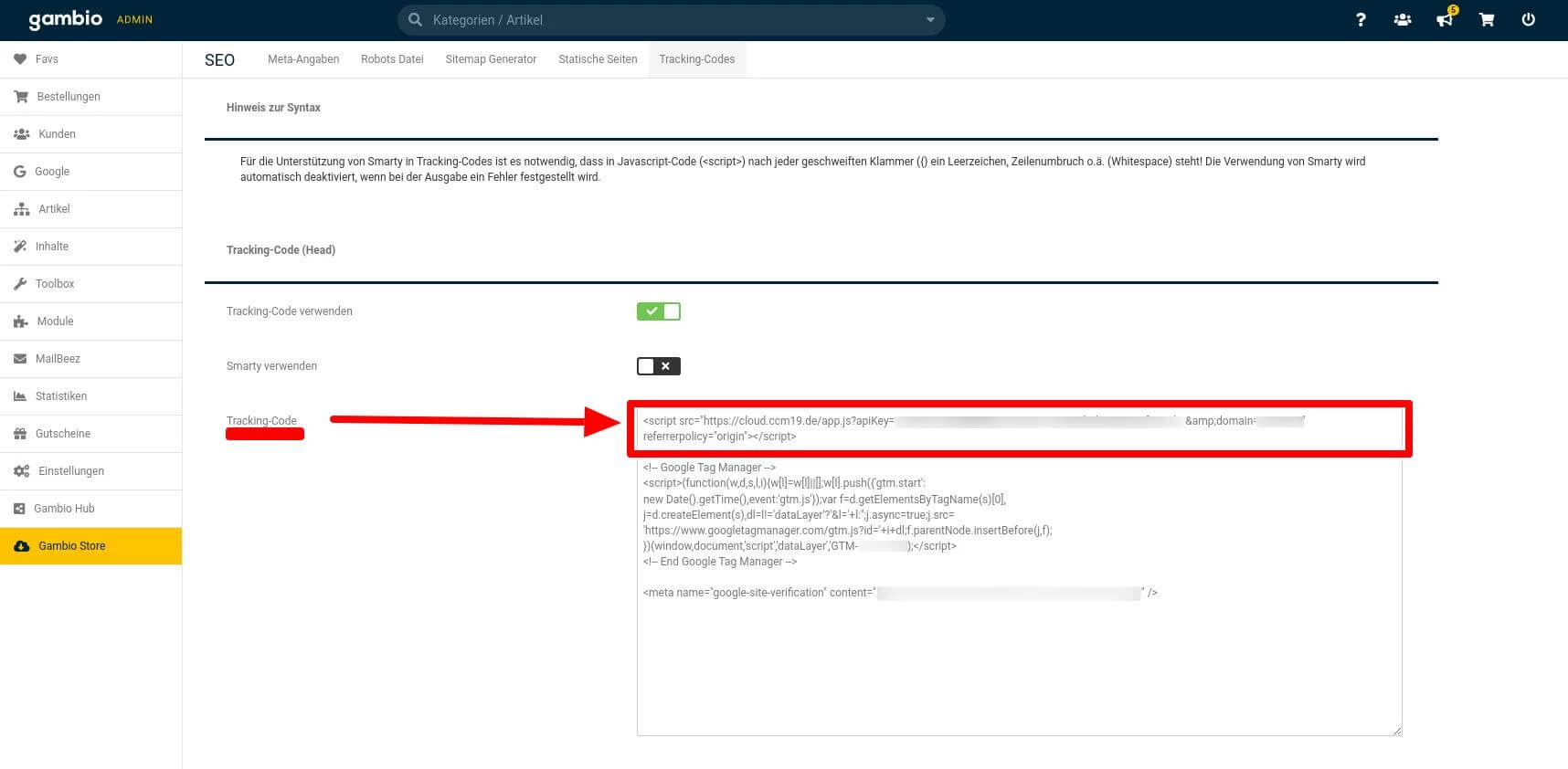
Enter the CCM19 code in the <head>
- In the tracking codes section, you have the option to insert custom code into the
<head> areaof your website. - Copy the code snippet provided by CCM19 and paste it at the top of the input field.
- Save the changes so that the cookie banner is activated on your website.
This completes the integration of CCM19 into Gambio.
How can we support you?
If you need further adjustments or have any questions, our support team will be happy to help you - via our support portal, the contact form or by email.
Does your website have a GDPR problem? Check now for free!
How high is the risk of fines for your website? Enter your website address now and find out which cookies and third-party services pose a risk
Cookie banner - comprehensively explained
As a website operator, you must provide a cookie banner to c... » weiter
