

Integrate cookie banners into Strato ePages
In addition to web hosting, Strato also offers a construction kit for creating websites. With this system it is possible to integrate CCM19 into the <head> area of the website.
You need an account with CCM19 to generate the required code snippet and manage your cookie banner settings. You can register for the free plan here. The tariff is permanently free of charge.
Does your website have a GDPR problem? Check now for free!
How high is the risk of fines for your website? Enter your website address now and find out which cookies and third-party services pose a risk
1. Login with Strato
- Go to the Strato website and log in with your access data.
- Navigate to the settings of your website in your Strato dashboard.
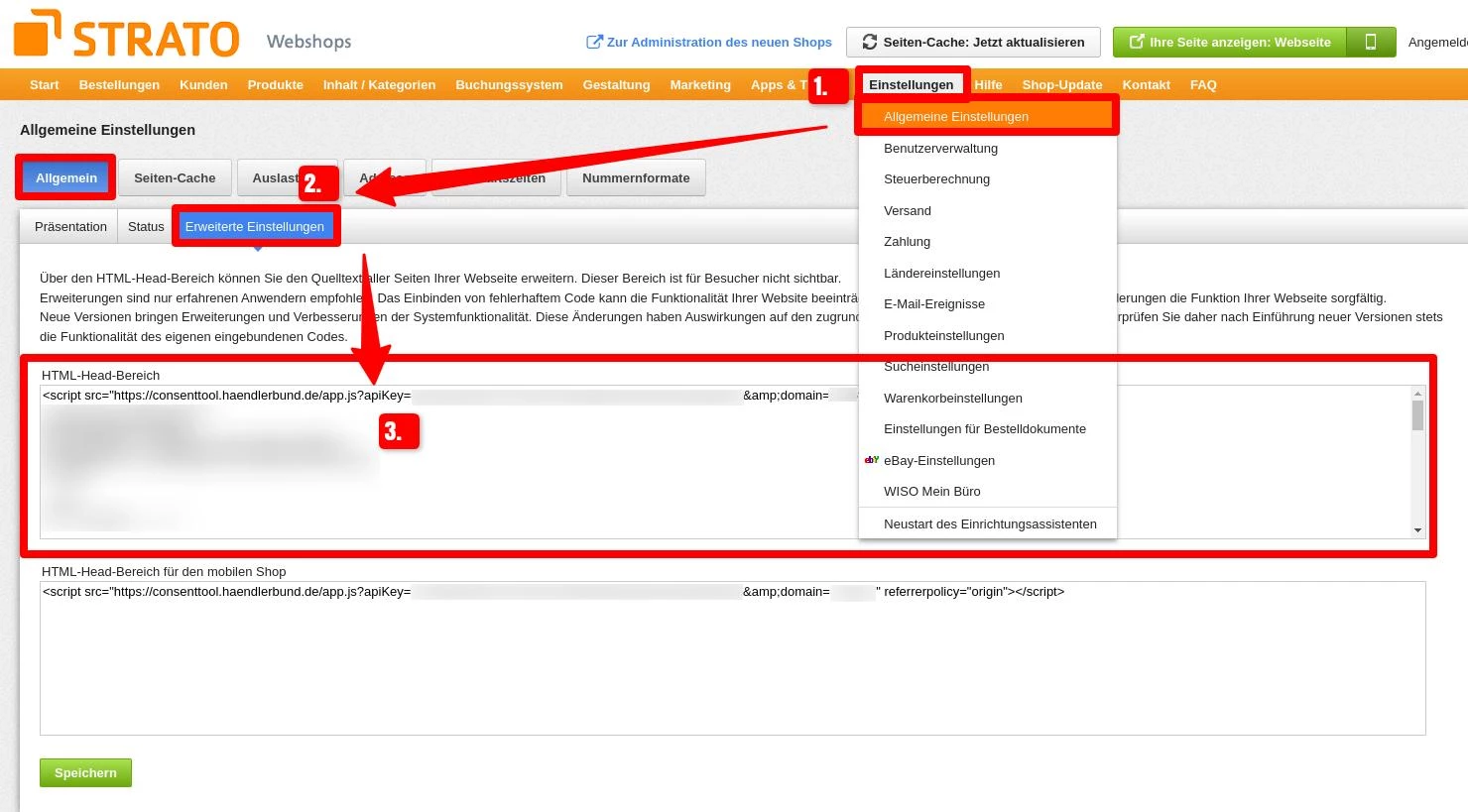
2. Call up advanced settings
- Click on General settings in the menu.
- You will find the Advanced settings in the left sidebar.
- Select these to access the area for custom HTML code.
3. Insert CCM19 code into the <head>
- In the window that opens, you will see an input field for HTML code.
- Insert the code snippet provided by CCM19 here.
- Save the changes so that CCM19 becomes active on your website.
This completes the integration of CCM19 into Strato ePages. If you want to make further adjustments, you can access these settings at any time and adjust the code.
Assistance from our support team
If you have any questions about the integration or need individual customizations, our support team will be happy to assist you. Contact us via our contact form or by e-mail and we will help you quickly and easily.
Does your website have a GDPR problem? Check now for free!
How high is the risk of fines for your website? Enter your website address now and find out which cookies and third-party services pose a risk
Cookie banner - comprehensively explained
As a website operator, you must provide a cookie banner to c... » weiter
