
Third-party cookies
What are third-party cookies?
Third-party cookies are cookies that are stored on your device by a website that you do not visit directly. If content from third-party providers such as advertisements, videos or images are integrated into a website, these third-party providers (e.g. Google or Facebook) can store their own cookies on your device. These serve the purpose of collecting information about your online activities and interests. This helps advertisers to display more targeted and personalized advertising. The GDPR requires that consent must be given in advance before these can be set for visitors. This is obtained or requested via the cookie banner. Irrespective of this, the use of these cookies raises data protection issues, as critics argue that the privacy of users is not sufficiently protected due to ignorance about tracking.
Does your website have a GDPR problem? Check now for free!
How high is the risk of fines for your website? Enter your website address now and find out which cookies and third-party services pose a risk
How do they differ from first-party cookies?
First-party cookies - unlike third-party cookies - are created and stored directly by the website visited. They often contain important information that is intended to improve the user experience. This includes, for example, the preferred language setting for using the site, the login status or the contents of a shopping cart. You can find out more about first-party cookies here.
Why are third-party cookies used?
Third-party cookies are mainly used for advertising purposes and user tracking. They enable advertisers to track user behavior across different websites and to place personalized advertising that is tailored to individual interests and also takes previous online behavior into account. In detail, third-party cookies are used for:
- Advertising & personalization:
Probably the most common reason for the use of third-party cookies is the personalization of advertising. Here, information about your online behavior is collected, e.g. which pages you have visited or which advertisements you have clicked on. This data enables advertisers to display more targeted advertising tailored to you personally (content personalization). - Tracking & analysis:
Another reason for using third-party cookies is to be able to track and analyze user behavior. This makes it possible to determine how users interact with a website, which content is particularly popular and how the user experience can be improved. Google Analytics, which uses cookies to provide detailed insights into website traffic and user interactions, is often used for analysis purposes. - Social media integration:
This involves the provision of social media functions for visitors. The best known are probably the "Like" button or the ability to share content directly on social media with just one click. To enable this interaction, it is necessary to use third-party cookies from the social media platforms. These cookies can also contribute to the personalization of content on the corresponding platforms. - Cross-site tracking:
Another task of third-party cookies is to enable tracking across different websites. This means that advertising networks and analysis tools can track the behavior of visitors across multiple pages. This allows a more comprehensive picture of the user's interests and habits to be created, which in turn contributes to individualized content.
How can I protect myself from third-party cookies?
Most modern browsers offer users various settings options to block or delete third-party cookies. For example, it is possible to
- activate the "Do-Not-Track" function in the browser.
- use a browser extension that blocks third-party tracking.
- manually deleting the cookies.
- a check of the browser's data protection settings is carried out and adapted to personal preferences.
What is the future of third-party cookies?
In view of growing data protection concerns and increasingly strict regulations, many companies and browser developers are trying to avoid the use of third-party cookies. They are already blocked by default in some browsers. As a result, the advertising industry in particular is looking for alternative methods to continue offering personalized advertising - without jeopardizing users' privacy.
How can you recognize third-party cookies?
There are various methods for recognizing third-party cookies, although these require a little technical understanding.
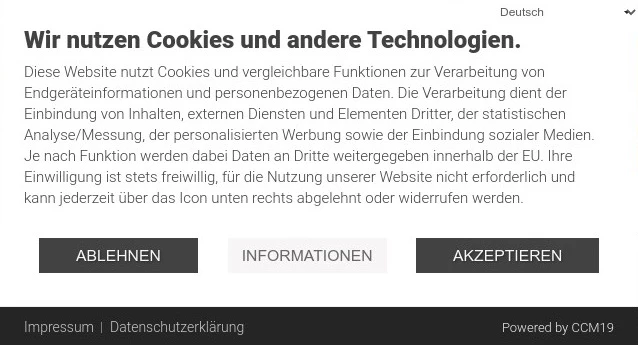
- In the cookie banner:
Under the "Settings" item in the cookie banner, you can normally access a complete overview of all cookies used, including those from third-party providers. The appearance and position of the settings button may vary depending on the Consent Manager used and the individual layout.
- The browser's developer tools:
Most modern web browsers, such as Chrome or Firefox, offer a function called "Developer Tools". This function can be used to analyze the content and resources of a website. To open this area, you can either right-click anywhere on the website and select "Inspect"/"Inspect element". Alternatively, the developer console can be opened by default by pressing the F12 key. Here you must first navigate to the "Storage"/"Application" tab and select the value "Cookies" in the column. A list of websites that have stored cookies on your device is now displayed to the right. All cookies that do not originate from the current page (in our case: www.ccm19.de) are third-party cookies (e.g. www.google.com).
Does your website have a GDPR problem? Check now for free!
How high is the risk of fines for your website? Enter your website address now and find out which cookies and third-party services pose a risk.
All about first party cookies... » weiter
Consent Management Platform (CMP)
All about CMP... » weiter
