

Integrate cookie banners into nopCommerce
nopCommerce is a free open-source eCommerce platform that has been specially developed for the creation of online stores. With just a few steps, you can integrate the CCM19 code snippet into the <head> area of your store to provide a GDPR-compliant cookie banner.
If you do not yet have an account with CCM19, you can register for free. Log in to your account, create a domain and copy the code snippet from the dashboard. This code must be integrated into your website and below we describe how this works in nopCommerce.
Does your website have a GDPR problem? Check now for free!
How high is the risk of fines for your website? Enter your website address now and find out which cookies and third-party services pose a risk
Login to the backend of nopCommerce
- Log in to the backend of your nopCommerce installation with your access data.
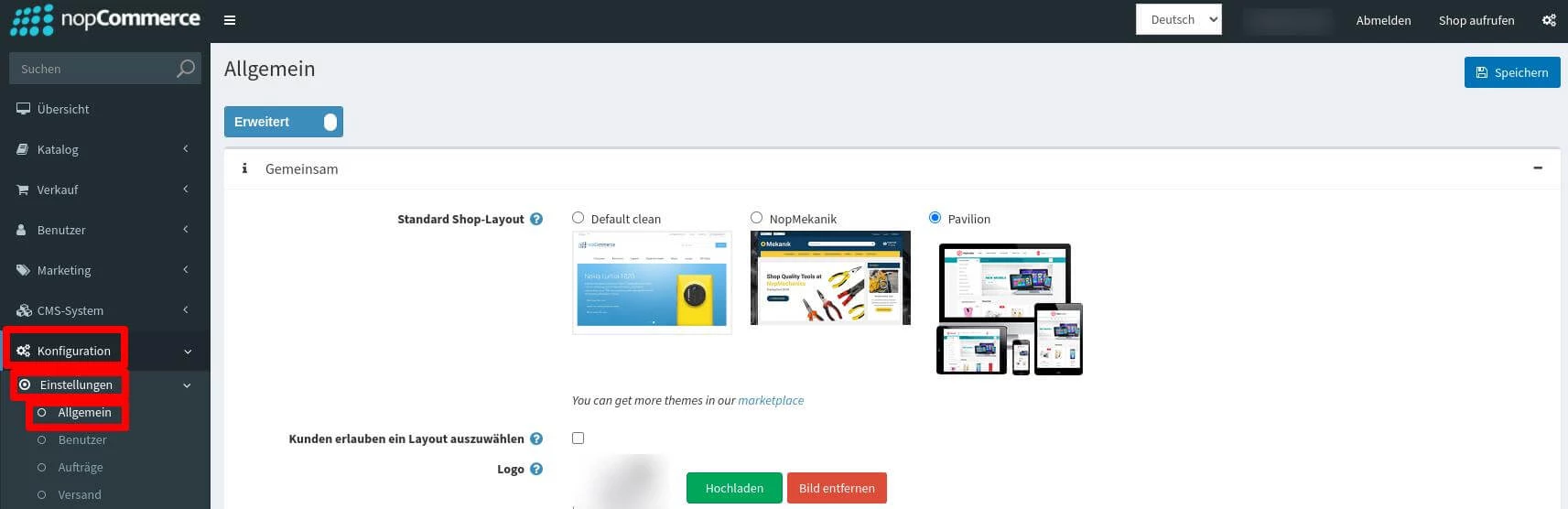
- Navigate to Configuration in the main menu and click on Settings.
- Select General from the drop-down menu.
Inserting the code snippet
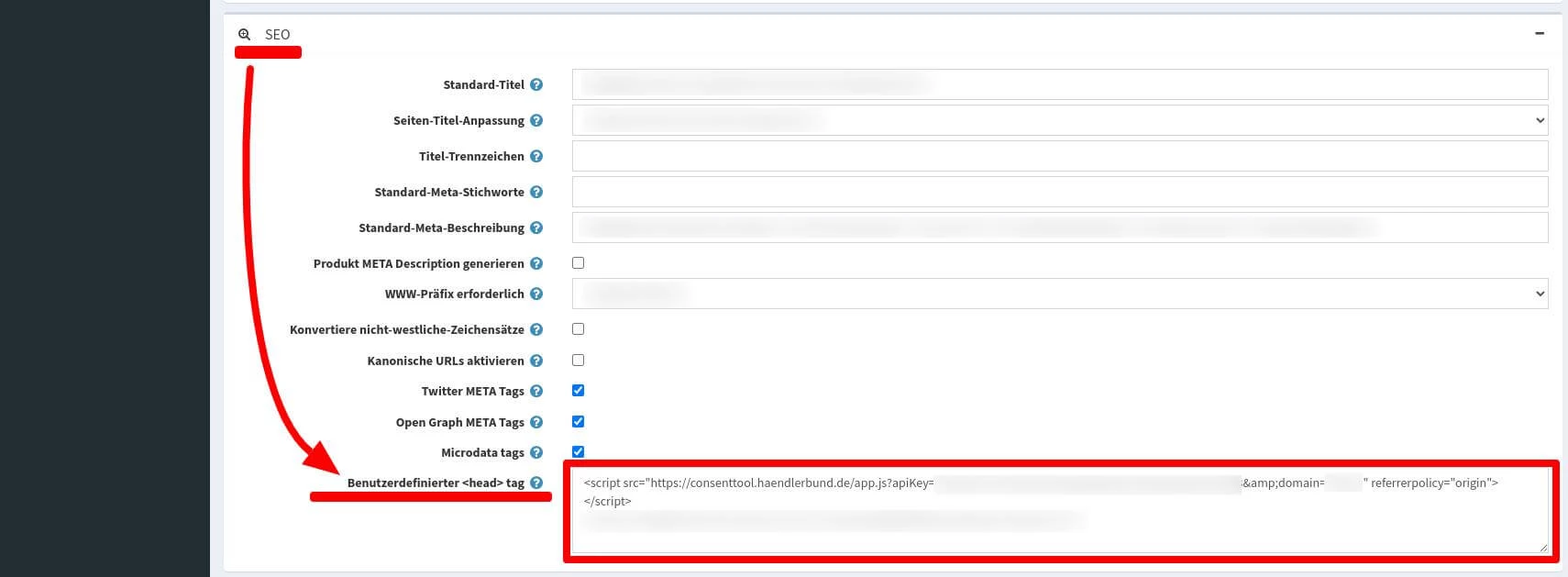
- Scroll down in the general settings until you reach the SEO section.
- In the Custom <head> tag field, you can enter the code snippet provided by CCM19.
- Save the changes to complete the integration of the cookie banner.
This completes the setup of CCM19 in nopCommerce. If you need further adjustments or have any questions, our support team will be happy to help you - via our support portal, the contact form or by e-mail.
Does your website have a GDPR problem? Check now for free!
How high is the risk of fines for your website? Enter your website address now and find out which cookies and third-party services pose a risk
Cookie banner - comprehensively explained
As a website operator, you must provide a cookie banner to c... » weiter
